

Users may occasionally face technical or account-related issues while using Jeeto786 Game. Most of these problems are easy to fix by following a few simple steps. This guide explains the most common issues and their possible solutions.
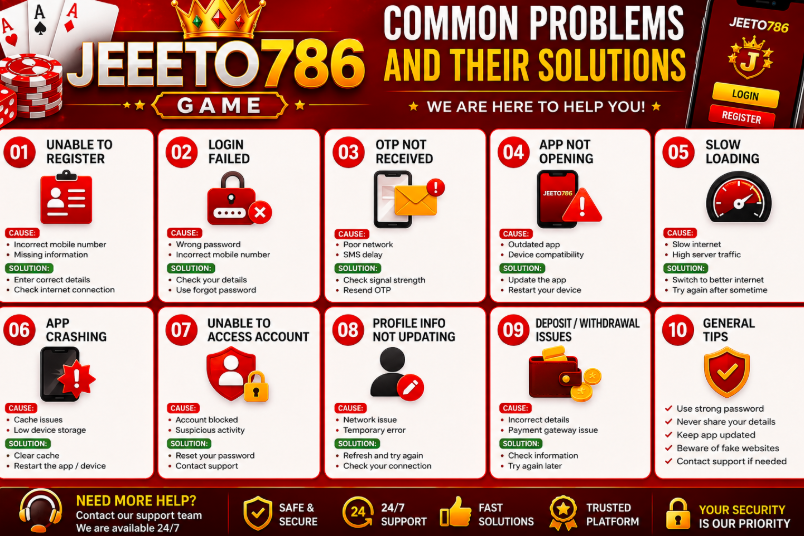
Unable to Register:
Possible Causes
- Incorrect mobile number
- Weak internet connection
- Missing required information
Solution
- Check that your mobile number is entered correctly.
- Complete all required fields.
- Refresh the page and try again.
- Make sure your internet connection is stable.
Login Failed:
Possible Causes
- Incorrect password
- Wrong mobile number
- Temporary server issue
Solution
- Re-enter your login details carefully.
- Use the Forgot Password option if needed.
- Wait a few minutes and try again.
- Check if the platform is under maintenance.
Forgot Password:
Solution
- Open the login page.
- Select Forgot Password.
- Verify your registered mobile number.
- Create a new strong password.
- Log in with your updated password.
OTP Not Received:
Possible Causes
- Poor network signal
- Delayed SMS delivery
Solution
- Wait for a few minutes.
- Check your mobile signal.
- Request a new OTP.
- Restart your phone if necessary.
App Not Opening:
Possible Causes
- Outdated app version
- Device compatibility issue
- Temporary software error
Solution
- Restart your device.
- Update the application to the latest version.
- Clear the app cache if available.
- Reinstall the application if the problem continues.
Slow Loading:
Possible Causes
- Slow internet
- High server traffic
Solution
- Switch to a faster Wi-Fi or mobile data connection.
- Close unused apps running in the background.
- Refresh the page after a few moments.
App Crashing:
Solution
- Restart your device.
- Install the latest version of the app.
- Free up storage space.
- Clear temporary files and cache.
Unable to Access Account:
Solution
- Check your login information.
- Reset your password if necessary.
- Contact customer support if you still cannot access your account.
Profile Information Not Updating:
Solution
- Save all changes before leaving the page.
- Refresh the application.
- Try updating your profile again later.
Security Tips:
To keep your account safe:
- Never share your password.
- Use a strong and unique password.
- Log out after using a shared device.
- Keep your account information private.
- Beware of fake websites and phishing messages.
Frequently Asked Questions:
Why can’t I log in?
Double-check your mobile number and password. If the problem continues, reset your password or wait if the platform is temporarily unavailable.
What should I do if I don’t receive an OTP?
Wait a few minutes, ensure you have a good network signal, and request another verification code.
Why is the app running slowly?
A slow internet connection or temporary server traffic can affect performance. Switching to a better connection often helps.
How do I keep my account secure?
Use a strong password, never share your login details, and always sign out on shared devices.
Conclusion:
Most Jeeto786 Game problems can be solved by checking your internet connection, entering the correct account information, updating the application, or restarting your device. If an issue continues after trying these solutions, contact the platform’s official customer support for assistance.